Install


Mac OS X, Windows, and Linux
Riskfolio-lib only supports Python 3.10 or higher on OS X, Windows, and Linux. I recommend using pip for installation.
It is highly recommended that you have installed a scientific Python distribution such as anaconda or winpython (Windows only).
Install
Pybind11.
pip install pybind11
If you don’t have installed cvxpy, you must follow cvxpy installation instructions before installing Riskfolio-Lib.
Install Visual Studio Build Tools (Only for Windows).
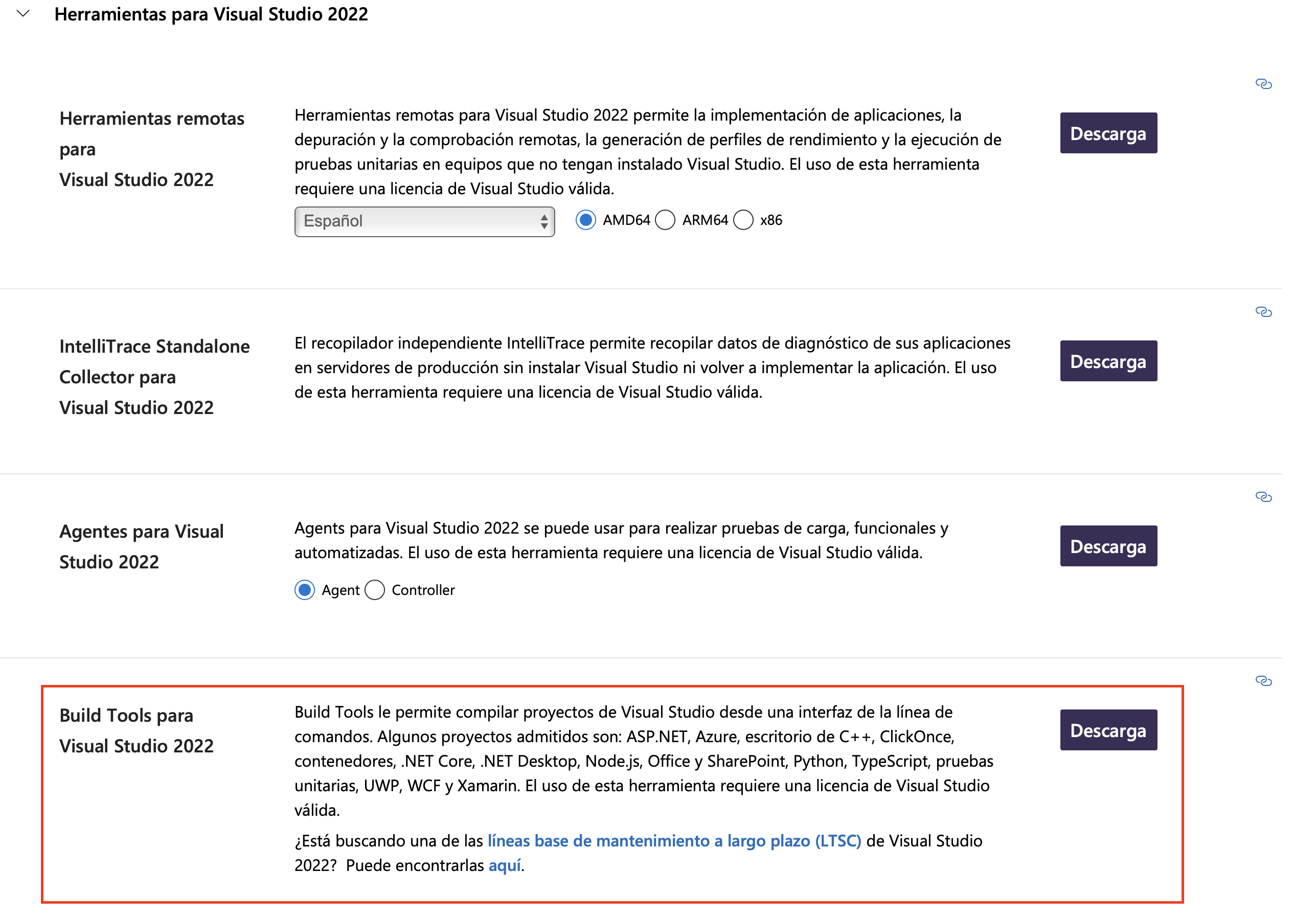
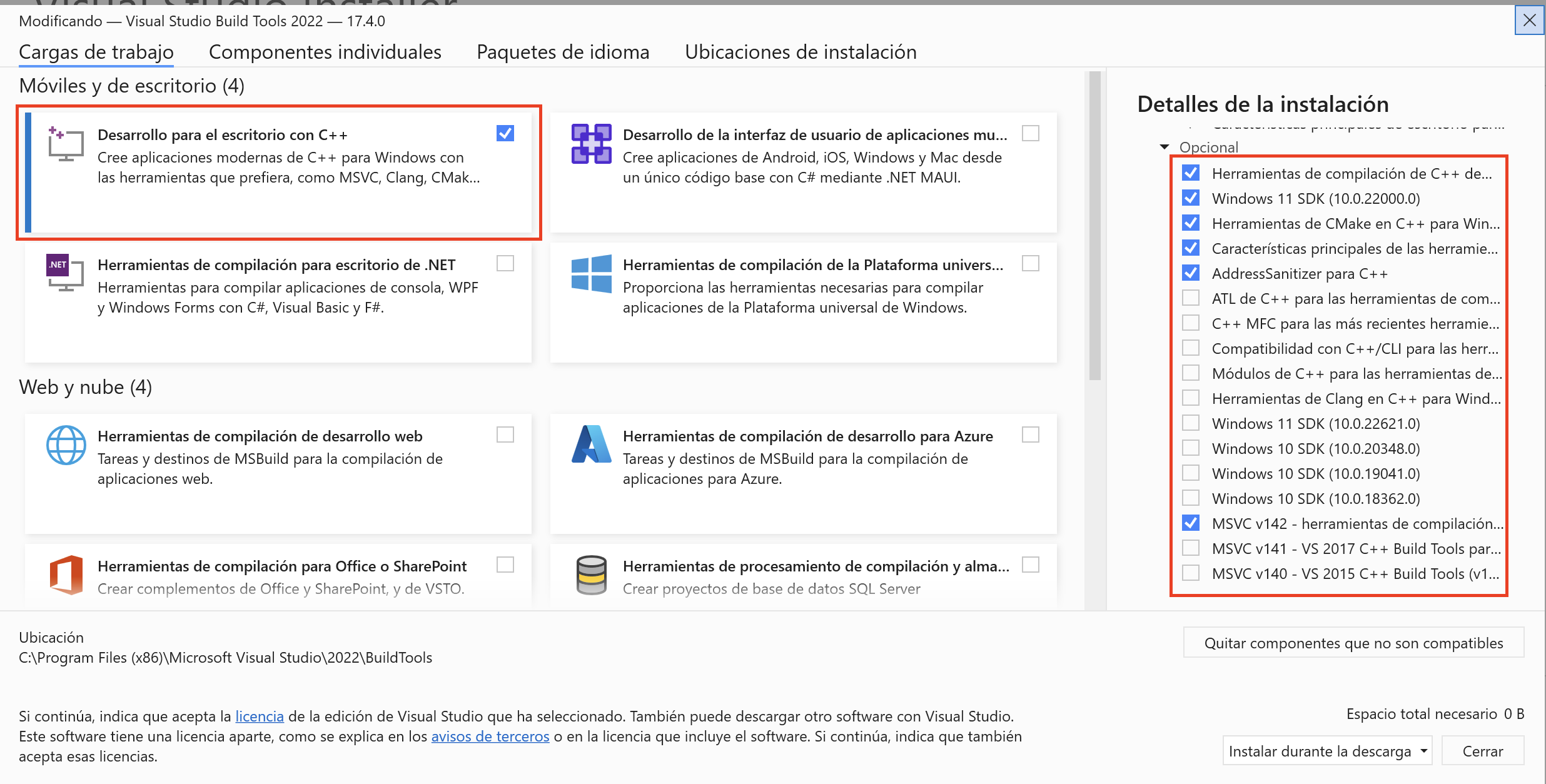
Install
Riskfolio-lib.
pip install riskfolio-lib
To run some examples is necessary to install yfinance.
pip install yfinance
To run some examples is necessary to install MOSEK, you must follow MOSEK installation instructions. To get a MOSEK license you must go to Academic Licenses.
pip install mosek
To run the backtesting example is necessary to install vectorbt.
pip install vectorbt
Dependencies
Riskfolio-Lib has the following dependencies:
numpy \(\geq\) 1.26.4
scipy \(\geq\) 1.13.0
pandas \(\geq\) 2.2.2
matplotlib \(\geq\) 3.9.2
clarabel \(\geq\) 0.11.1
SCS \(\geq\) 3.2.7
cvxpy \(\geq\) 1.7.2
scikit-learn \(\geq\) 1.7.0
statsmodels \(\geq\) 0.14.5
arch \(\geq\) 7.2
xlsxwriter \(\geq\) 3.2.2
networkx \(\geq\) 3.4.2
astropy \(\geq\) 6.1.3 (if there are problems check astropy installation instructions)
pybind11 \(\geq\) 2.13.6